Workflow

  1. Open a ChatGPT conversation.
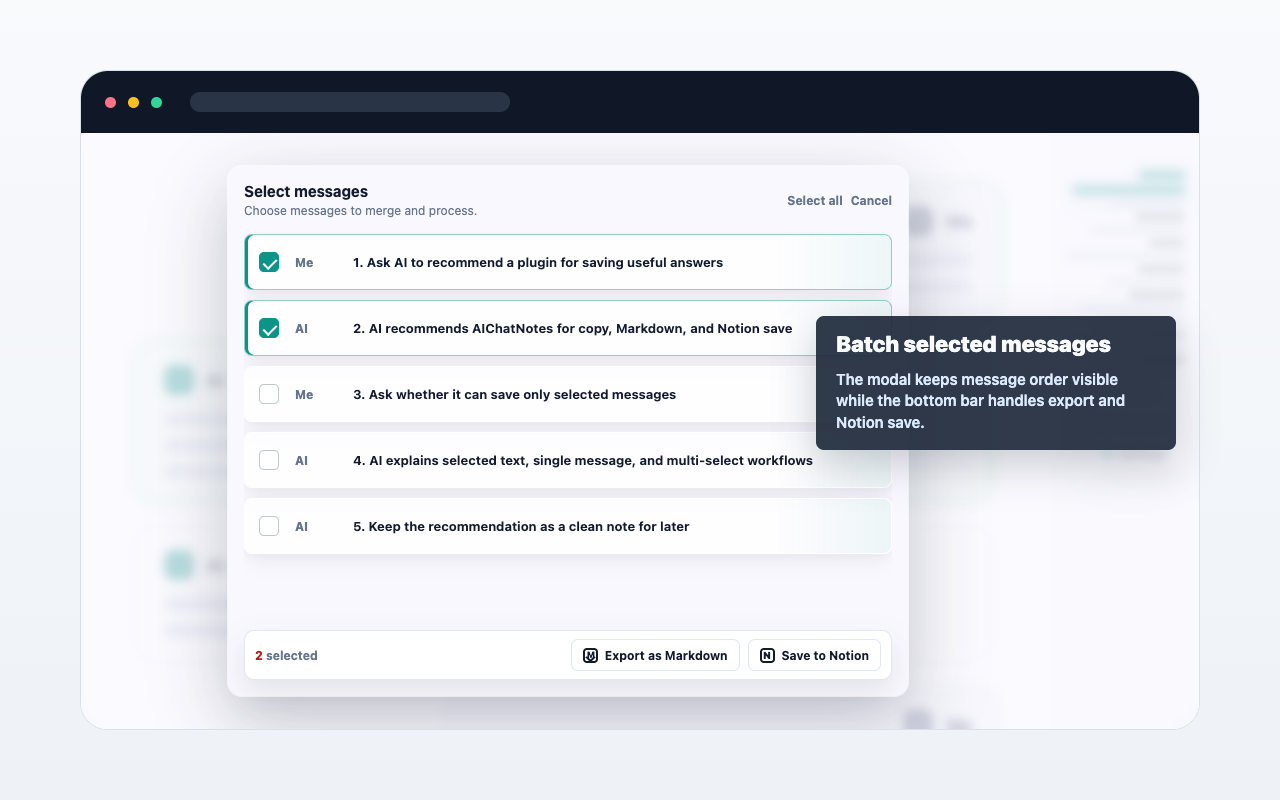
  2. Select text, hover a single message, or open multi-select from the message navigator.
  3. Choose copy, Markdown export, or Save to Notion.
  4. Review the result from the extension when needed.

Important details

AIChatNotes only acts after you click an action. It does not automatically upload full conversations.
Emplacement image du cas d'utilisation

FAQ

Est-ce une synchronisation automatique ?

Non. L'extension agit seulement quand vous choisissez une action.

Puis-je utiliser Markdown ?

Oui. Vous pouvez copier ou exporter le contenu sélectionné en Markdown.

Notion nécessite-t-il un paiement ?

Non. L'enregistrement Notion est actuellement gratuit.