Workflow

  1. Open a ChatGPT conversation.
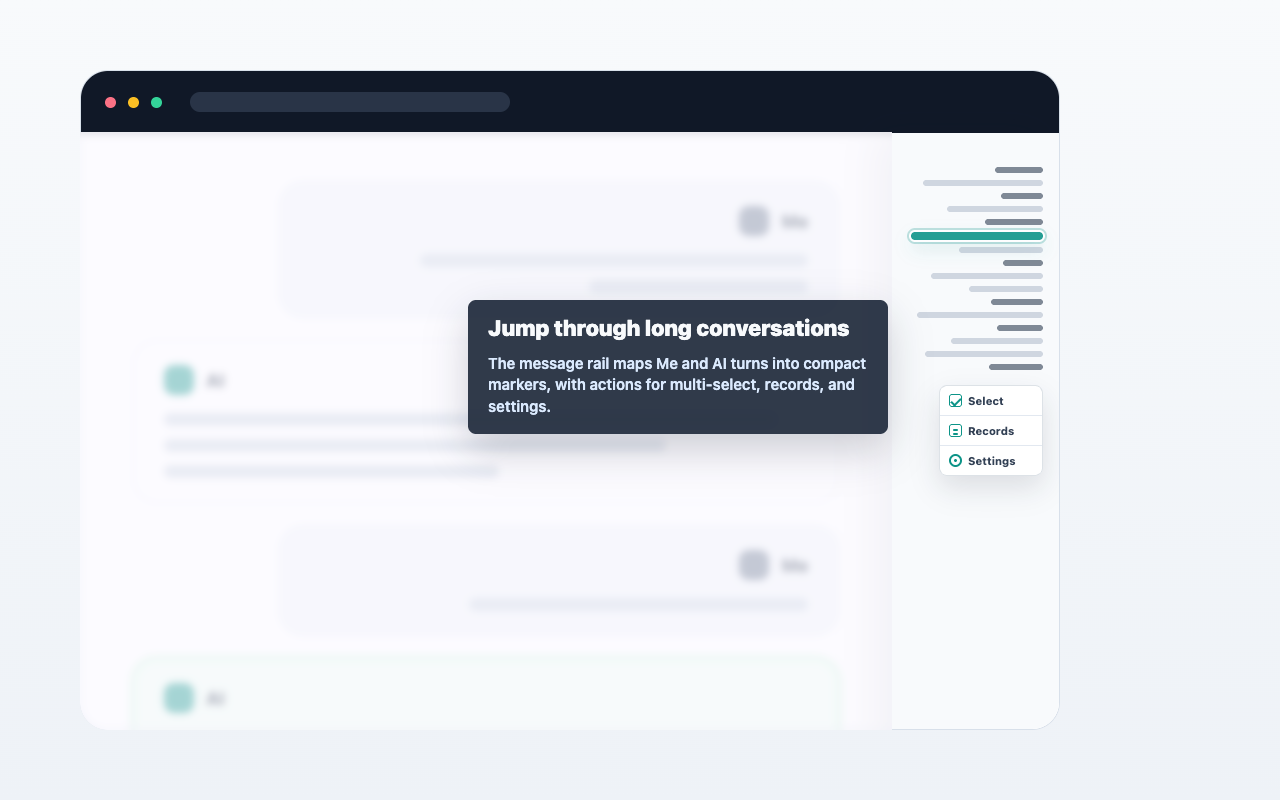
  2. Select text, hover a single message, or open multi-select from the message navigator.
  3. Choose copy, Markdown export, or Save to Notion.
  4. Review the result from the extension when needed.

Important details

AIChatNotes only acts after you click an action. It does not automatically upload full conversations.
พื้นที่รูปภาพกรณีใช้งาน

FAQ

เป็นการ sync อัตโนมัติไหม?

ไม่ ส่วนขยายจะทำงานเมื่อคุณเลือกคำสั่งเท่านั้น

ใช้ Markdown ได้ไหม?

ได้ คุณสามารถคัดลอกหรือส่งออกเนื้อหาที่เลือกเป็น Markdown

Notion ต้องจ่ายเงินไหม?

ไม่ ตอนนี้การบันทึกไปยัง Notion ใช้งานฟรี